
Know which truck
your tools went out on.
Bluetooth tags on the equipment, a gateway in the vehicle. Inventory takes itself every time a crew rolls out.
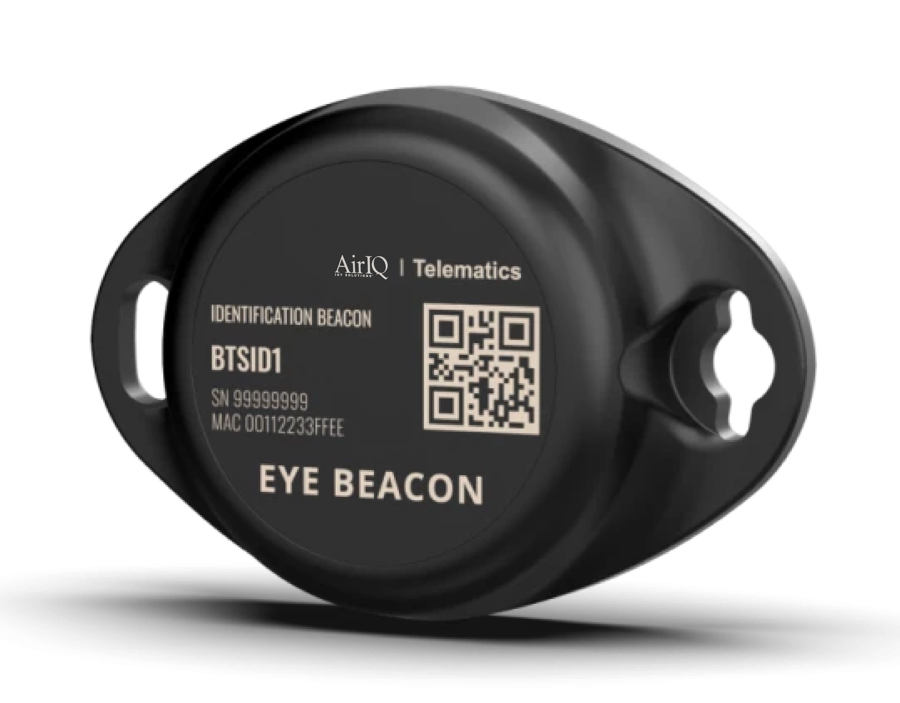
The truck does the counting.
A gateway mounted in the vehicle hears the tags around it and reports them, so the answer to where a tool is comes back as which truck has it.
- Tag what is worth finding, not everything
- No app for the crew to remember to open
- Tools appear in your dashboard next to your vehicles

No scavenger hunt.
A tool that stops traveling with a vehicle shows up as left behind, at the point it happens rather than when a job stalls waiting for it.
- Left-behind visibility at the end of a job
- An end to re-buying equipment you already own
- One account for tools, vehicles and trailers
Know which truck your tools are on.
What it looks like at the end of a job.
Nobody drives back for a tool left on site
When a tool stops traveling with its vehicle, it is flagged before the crew has gone.
You know which truck has it
A gateway in the vehicle reports the tags around it, so every tool has a truck against its name.
There is nothing to charge
The tags run for years on an internal cell and stay on the tool.
A stolen tool has somewhere to start
The last-seen record, which vehicle or site and when it stopped checking in, is what makes a police report actionable instead of a guess.
You stop re-buying what you already own
Most missing equipment isn't gone, it's on the wrong truck. Finding it costs a lot less than replacing it.
Inventory happens without anyone doing inventory
No scanning, no sign-out sheet. The count takes itself every time a crew rolls out.
Tool Tag, in full.
How it reports
- Tag radio
- Bluetooth
- Gateway
- Vehicle-mounted, reports the tags around it
- Resolution
- Which vehicle a tool is on, and when it stopped traveling with one
- Power
- Internal cell, multi-year
Tool Tag reports through a gateway in the vehicle rather than over cellular itself.
All specifications are typical and subject to change without notice.
Solution sheet
One page, no form. Forward it to whoever signs off on the fleet budget.
Asked about Tool Tag.
How does a Tool Tag know where it is?
What happens if a tool is left on site?
Do I need a tag on every tool?
Does this need its own app?
Is there a contract?
Tool Tag, in ninety seconds.
Tag ten tools. See what stops going missing.
We'll show you tags, gateways, and the tool view in your dashboard on a live demo, then you decide. No contract either way.
Prefer to talk? 1-888-606-6444