
Note: Report Subscriptions access is a special permission that needs to be assigned by your account’s administrator.

You should see the following screen:

Select:

You should then see the following screen:
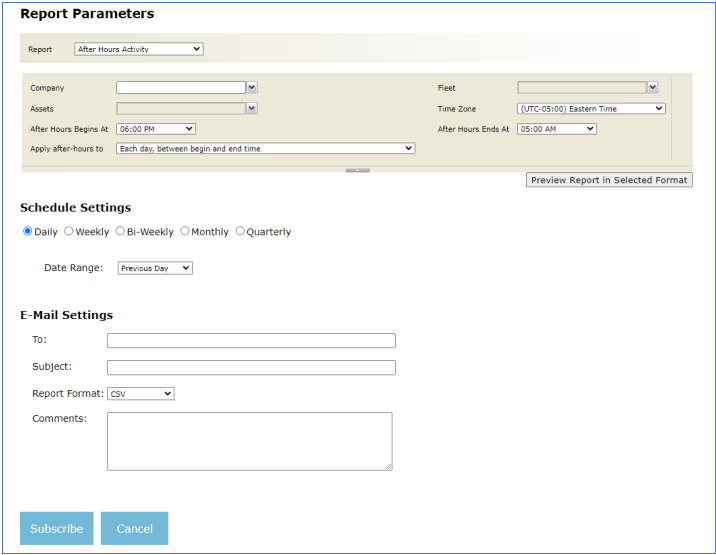
- Daily – choose which day (previous day or previous 2 days, report sent each day)
- Weekly– select Start and End days (i.e. Monday to Friday, report sent at day after selected “End Day”)
- Bi-weekly – select Start and End days for each week (i.e. Monday to Friday, report received after selected “End Day”)
- Monthly – executed at the end of each month (sent 1st of next month)
- Quarterly – executed at the end of each quarter (every three months)
Under E-Mail Settings, type in the recipient’s e-mail in the “To:” field, with an appropriate subject line. Then you can choose the report format (.csv,.pdf,.mhtml,.xlsx,.docx) If you are entering multiple email addresses, separate them using a semicolon (shown below):
